
Tiny Horn
Oddly Rounded
Rules
Tiny Horn is one singular horn!
This upgrade can be placed on either the Forehead or Nose!
This horn must be the color of the area it sprouts from.

Stubby Horns
What a litle Devil.
Rules
These horns should be nice and short! They shouldn't be longer than
shown in the upgrade image.
Stubby Horns must be the color of the area it sprouts from.

Antler Stubs
Baby Bambi is in bloom!
Rules
These horns shouldn't be longer than shown in the upgrade image.
Antler Stubs can start as any secondary color on your Kwillian.
Full Horns cannot be applied to Kwillings, even with upgrade items! They can only be put
onto Adults.

Longer Horn
Like a Rhino.
Rules
Your Kwillian must have the Tiny Horn upgrade first.
Longer Horn should be the same color as the area it sprouts from.

Needle Horns
Lookin' sharp!
Rules
Your Kwillian must have the Stubby Horns upgrade first
Needle Horns should be the color of the nubs they grow from.

Cavern Horns
Very native! Very stylish! Very dangerous.
Drawing Requirement:
Draw the Kwillian you want this upgrade for exploring a cave!
Rules
Your Kwillian must have the Stubby Horns upgrade first
Cavern Horns can start as any secondary color on your Kwillian.

Tauric Horns
Mess with the bull, get the horns!
Drawing Requirement:
Draw your Kwillians rubbing their head on something! Are they itchy?
Nuzzling?
Rules
Your Kwillian must have the Stubby Horns upgrade first
Tauric Horns can start as any secondary color on your Kwillian.

Curled Horns
Now bleat. Do it. Come on!
Drawing Requirement:
Draw the Kwillian you want this upgrade for headbutting something, or
someone!
Rules
Your Kwillian must have the Stubby Horns upgrade first
Curled Horns can start as any secondary color on your Kwillian.

Ramming Horns
WHAM! You're the best!
Drawing Requirement:
Draw the Kwillian you want this upgrade for with Curled Horns 5 times!
Rules
Your Kwillian must have the Stubby Horns upgrade first
Ramming Horns can start as any secondary color on your Kwillian.

Antlers
Beautiful tines, velvet soft, dangerously sharp.
Drawing Requirement:
Draw the Kwillian you want this upgrade for with Antler Stubs 5 times!
Rules
Your Kwillian must have the Antler Stubs upgrade first
Antlers can be modeled off any real life Antlers belonging to
Deer, Moose, etc. Single Spire/Tine antlers do NOT count, must have
two tines (points) at minimum.
Antlers can start as any secondary color on your Kwillian.

Drake Horns
Save the dragon from the princess.
Drawing Requirement:
Draw the Kwillian you want this upgrade for protecting something.
Rules
Your Kwillian must have the Stubby Horns upgrade first
Drake Horns can start as any secondary color on your Kwillian.

Shining Horns
Shiny and cute! Like little... shine, horns?
Drawing Requirement:
Draw the Kwillian you want this upgrade for in a dark area...
Rules
Your Kwillian must have the Stubby Horns upgrade first
Shining Horns can start as any secondary color on your Kwillian.
Shining Horns glowing bands can start as your Kwillians gem color.

Pyre Horns
Looks like you could crack open a bottle just fine.
Rules
Your Kwillian must have the Stubby Horns upgrade first
Pyre Horns can start as any secondary color on your Kwillian.
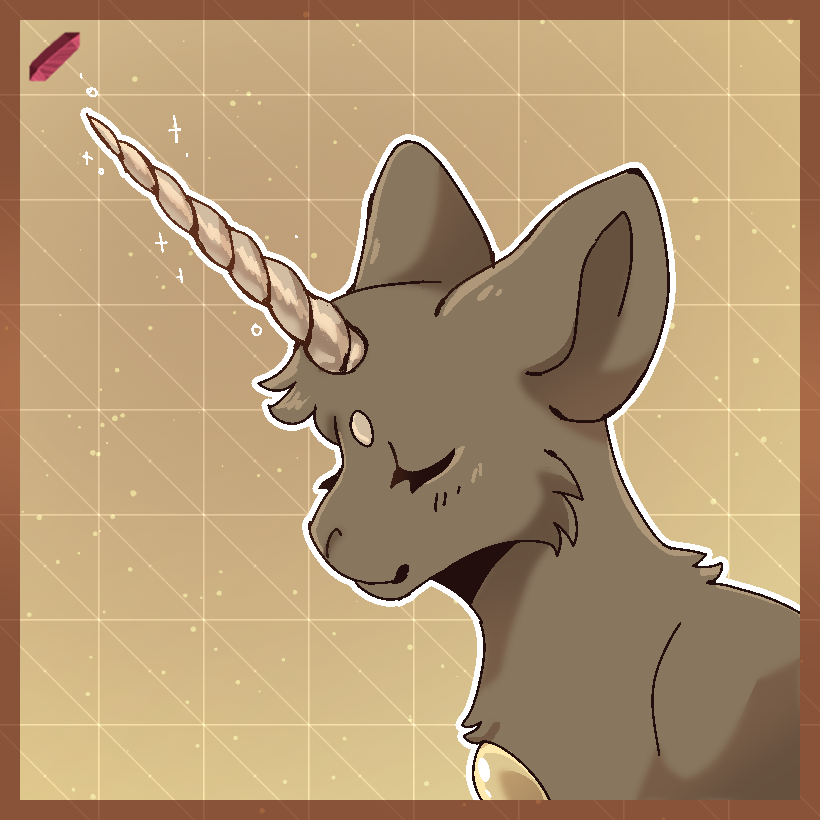
Spire Horn
They say there's only one of them left... idiots.
Drawing Requirement:
OTU | Draw a Kwillian in a children's storybook art style.
Rules
Your Kwillian must have the Tiny Horn upgrade first
Spire Horn can start as Secondary, or Accent Colored.
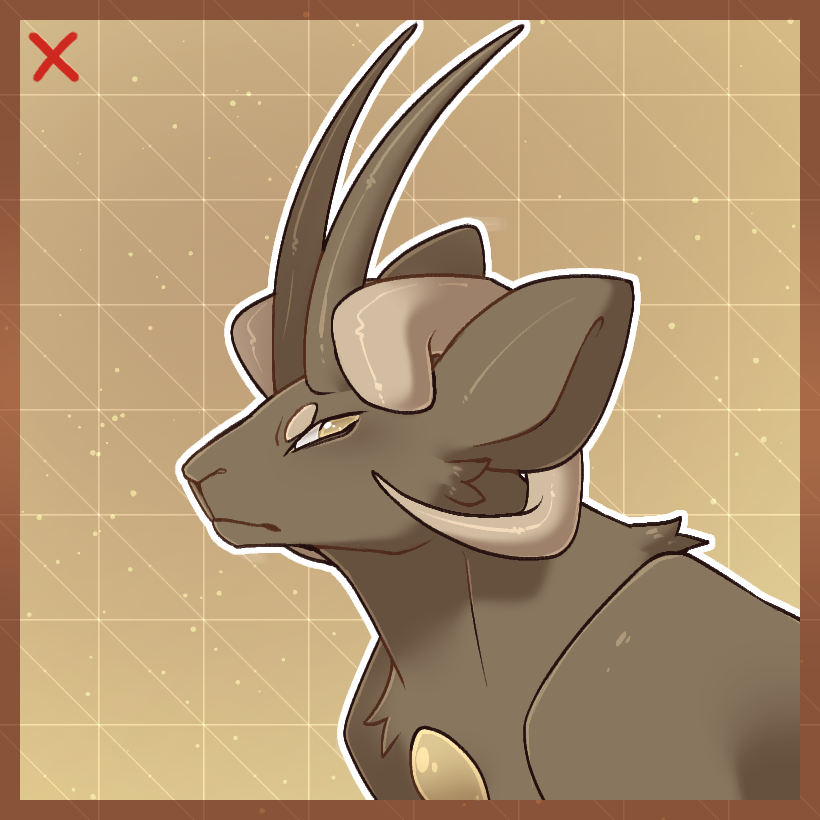
Dual Horns
Two Horns. In one horn spot. Bam.
Rules
Dual Horns can be used to apply an extra horn (or set of horns) to
your Kwillian
Your Kwillian must already have a set of horns applied
Upgrade rules for the extra horns must be followed and their
requirement met to apply.

Remove/Change Upgrade
Out with the old, and- actually, just out with the old!
Rules
In order to remove, reapply, or change an upgrade, you must either
have
5 Separate Images of your Kwillian showing the upgrade or
have
applied that Upgrade at least Three Months prior!
This rule applies to replacing ears, wings, and horns. This also
applies
to changing where markings are placed, changing the appearance of an
upgrade from how you applied it originally in color, and color
upgrades!
This can also be used to move around markings, however, they must
follow
the basic marking rules if you'd previously color mixed them. (Must
be
all one color, etc.)
